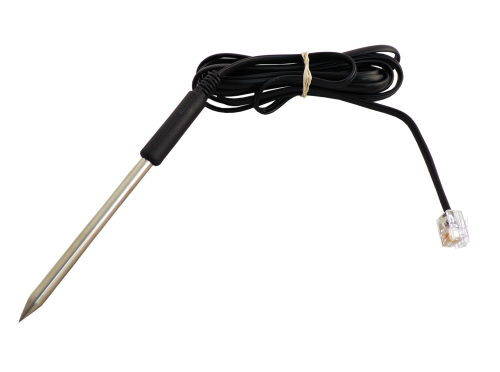
-
$115.89Ships in 3-5 Business Days
A spot reading tells you what the box is doing right now. A data logger tells you what it did all week. When a customer complains that the cooler warms up "sometimes," or a compressor trips only on hot afternoons, a logger is how you stop guessing and start working from evidence. Drop it in, walk away, and come back to a timeline of every temperature swing, humidity spike, or current draw change.
This category features Supco LOGiT data loggers for temperature, temperature and humidity, current, and voltage, along with DataView software and the probes and accessories that extend what each logger can measure. They are small, battery-powered recorders built for HVAC and refrigeration field work, and they turn an intermittent problem into something you can graph and show to a customer.
Refrigeration techs use loggers on walk-ins, reach-ins, and display cases. HVAC contractors use them to document comfort complaints, verify system performance after a repair, and catch electrical problems that come and go. Facility managers and food service operators use them to keep a digital temperature record that is easier to archive than paper charts.
A data logger is a sensor, a clock, memory, and a battery in one housing. You set a sampling interval, start the logger, and it records a reading at each interval until you stop it or memory fills. Later you connect it to a computer and download the data into software that plots the readings on a graph and exports them for reports.
The sampling interval is a tradeoff. Short intervals capture fast events but fill memory sooner. Long intervals cover more days but can miss a brief spike. Set it for the problem you are chasing.
Reach for a logger when the problem does not show up while you are standing there:
Replace or service a logger when it no longer holds a charge or battery, does not connect to the software, gives readings that disagree with a known reference, or has a damaged probe lead or connector. Moisture inside the case is also a sign it is time for a new unit.
Temperature alone covers most refrigeration and food safety work. Add humidity for comfort, IAQ, and storage issues. Choose current or voltage loggers for electrical troubleshooting. If you want temperature in two places, such as box air and product, look for an external probe input.
Freezers and blast chillers need a low-temperature range. Duct and equipment readings may need a higher range. Current loggers must be rated for the amperage you expect, with headroom for startup draw. Voltage loggers must be rated for the circuit voltage. The product pages list the measurement range for each model.
Multiply the number of days you want to record by the readings per day to estimate how much memory you need. Longer deployments at short intervals need more memory and battery capacity.
Make sure the logger, probes, and interface cable work with the DataView software version you are using, and that your computer meets its requirements.
One logger shows one point. Many problems are easier to diagnose with two or three running at once: one in box air, one on the product or supply air, and a current logger on the compressor. When the graphs line up on the same timeline, cause and effect become obvious. A tech who carries a small set of loggers can leave them on two jobs at once and pick them up on the next route day.
| Logger type | What it records | Typical problems it solves |
|---|---|---|
| Temperature | Air or probe temperature over time | Cooler and freezer drift, defrost issues, food safety records |
| Temperature and humidity | Temperature plus relative humidity | Comfort complaints, mold risk, dehumidifier performance |
| Current | Amp draw on a conductor | Short cycling, run time, overloaded motors and compressors |
| Voltage | Supply voltage over time | Brownouts, sags under load, nuisance trips |
| External probe | Remote point temperature | Product, supply/return air, and line temperatures |
Supco has made test and monitoring instruments for HVAC and refrigeration since 1945, and LOGiT loggers are built for field conditions rather than a lab bench. HVAC365 product pages list measurement ranges and compatibility, with spec sheets where available, so you can pick the right logger and probe the first time. Loggers and accessories ship in 3-5 business days.
For refrigeration diagnostics, short intervals capture compressor cycles and defrost events clearly. For long-term records, a longer interval stretches memory across more days. Pick the interval based on how quickly the event you are chasing happens and how long you need to record.
LOGiT loggers are set up and downloaded through Supco's DataView software, which displays the readings as graphs and tables and lets you export them. Check the product page for the software and interface requirements for each model.
Yes. Each compressor or fan start shows as a jump in amperage, so a graph of current over time shows exactly how often and how long the equipment runs.
Low voltage makes motors and compressors draw more current and run hotter. A voltage log can show whether supply voltage drops at certain times of day or when other loads start, which points to utility or building wiring problems rather than the equipment.
Many operations use data loggers for HACCP temperature monitoring because they provide a continuous, timestamped record. Confirm with your local health department and your HACCP plan for the exact documentation requirements.
Compare its readings to a calibrated reference instrument under stable conditions. If it is outside the stated accuracy, contact the manufacturer for service or replace it.

Fast Shipping

Easy Returns

Warranty Coverage

Financing Available