
null
Pool Automation Systems

Pool Automation Systems

A pool automation system is the brain of the equipment pad. Instead of separate mechanical timers for the pump, lights and cleaner, a manual valve that someone has to turn for spa mode and a heater that runs on its own thermostat, automation ties everything into one controller. It schedules the pump, switches lights and accessories, turns valve actuators for pool and spa modes, controls the heater, manages freeze protection, and in many cases runs the salt chlorinator and chemistry. Owners control it from a wall panel, a wireless remote or a phone app.

This category is the parent overview for pool automation. It covers complete systems, control panels, power centers and load centers, relays, expansion modules, valve actuators, wireless remotes, interfaces and app gateways from Jandy, Pentair, Hayward and other brands. Service techs replacing failed control boards, builders specifying new equipment pads and homeowners adding phone control to an older pool all shop here. Automation involves line-voltage wiring, breakers and bonding, so installation should be done by a licensed electrician or a qualified pool professional familiar with the specific system.

How Pool Automation Works

Most systems share the same building blocks, even though each brand names and packages them differently.

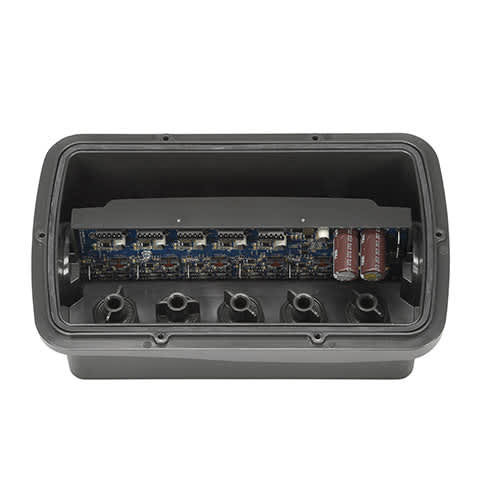
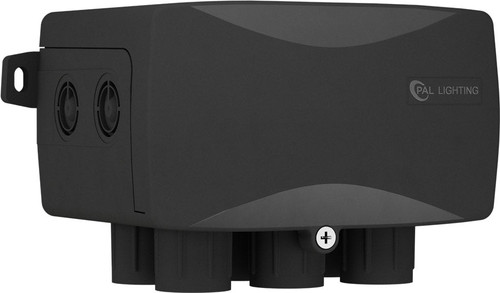
  • Power center or load center. A weatherproof enclosure on the pad that holds breakers, relays, a low-voltage transformer and the main control board. Line-voltage circuits for the pump, lights, blower and accessories run through it.
  • Main control board. The logic that stores schedules, reads sensors, runs interlocks and talks to the user interfaces. It also communicates with compatible pumps, heaters, chlorinators and chemistry controllers, usually over an RS-485 data bus.
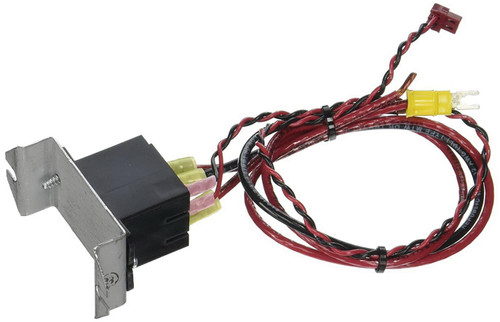
  • Relays. Switch line-voltage loads on and off. High-voltage relays handle pumps, lights and blowers. Some systems use separate relays for two-speed pumps or for low-voltage loads.
  • Valve actuators. Motorized heads, typically 24 VAC, that bolt onto diverter valves and turn them automatically for pool, spa, spillover, solar or water-feature modes.
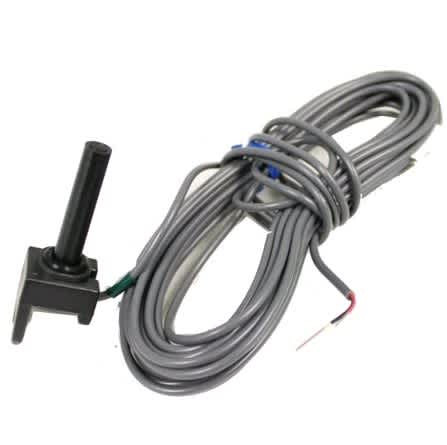
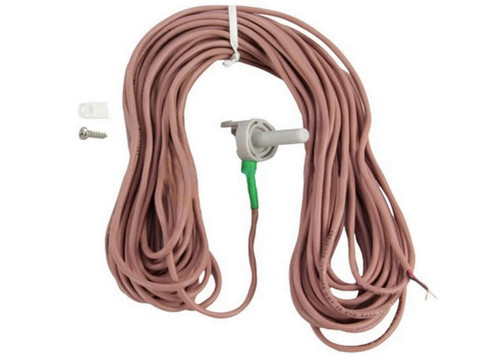
  • Sensors. Water, air and solar temperature sensors let the controller manage heating, solar and freeze protection. Some systems add flow switches and chemistry sensors.
  • User interfaces. Indoor or outdoor wall panels, wireless handhelds, spa-side remotes, and phone apps through a Wi-Fi or Ethernet gateway.
  • Expansion modules. Add more relays, valve actuators or features when the pad grows beyond the base system.

The major brand families include Jandy AquaLink and iAquaLink systems, along with the Jandy iQ line for adding app control to equipment; Pentair IntelliCenter, the older EasyTouch platform and the simpler IntelliConnect control and monitoring system; and Hayward OmniLogic, OmniPL and OmniHub, which adds smart control to existing equipment, along with legacy ProLogic systems still found on many pads. Each brand works best with its own pumps, heaters, salt systems and lights, since that is where full communication and feature support lives.

Many systems can also take over water chemistry. A salt chlorine generator wired to the controller can be scheduled and adjusted from the app, and chemistry controllers such as Pentair IntelliChem, Hayward's Sense and Dispense options and Jandy TruSense use pH and ORP sensors to feed acid and chlorine automatically. Chemistry automation still needs regular manual testing to confirm the sensors are reading correctly, since a dirty or out-of-calibration probe can overfeed or underfeed. Treat the controller as a tool that holds the levels you set, not a replacement for a test kit and a trained eye on the water.

Signs Your Automation Needs Repair or Replacement

  • Dead panel or no communication. Check power, breakers, the transformer and fuses first. A failed board, a damaged data cable or a corroded terminal can all cause this. Note the exact error message.
  • Relays that click but loads don't run. Burned relay contacts, a tripped breaker or a wiring fault. Relays are replaceable on most systems.
  • Valves not turning. A failed actuator, stripped gears, a stuck valve or a wiring problem. Check whether the actuator moves when disconnected from the valve.
  • Wrong temperatures. A failed or poorly placed sensor can cause bad heater behavior, wrong freeze protection or solar mistakes. Sensors are inexpensive to replace.
  • App won't connect. Weak Wi-Fi at the pad, a failed gateway, outdated firmware or a changed network password. Many systems support firmware updates that fix connectivity problems.
  • Old platform, no parts. When a system is discontinued and boards are no longer supported, upgrading to a current platform is often more practical than chasing used parts.
  • Lightning or surge damage. Burned boards, failed transformers and multiple failures at once after a storm. Have the electrical system checked and consider surge protection.

How to Choose the Right Automation System

  1. Count the loads. List everything that needs control: filter pump, booster pump, lights, blower, waterfall pump, cleaner, heater, heat pump, solar, salt cell and chemistry. That determines relay and auxiliary count.
  2. Count the valves. Pool and spa combos usually need at least two actuators for suction and return. Solar, water features and spillover add more.
  3. Pool only or pool and spa. Single-body systems control one body of water. Combo or shared-equipment systems handle pool and spa modes, spa heating and spillover.
  4. Match the brand to the equipment. The deepest integration happens when the pump, heater, salt system and lights match the automation brand. Mixed-brand pads can work, but some features may only be available through relays.
  5. Decide on interfaces. Wall panel, wireless remote, spa-side remote, phone app, or all of them. Make sure the pad has decent Wi-Fi or a wired network option if you want app control.
  6. Plan for growth. Pick a system with room for more relays and actuators if the owner may add features later.
  7. Retrofit vs new. On existing pads, a smart hub or retrofit kit can add app control without replacing everything. On new builds, a full system makes more sense.
  8. Cross-reference parts. For replacement boards, relays and actuators, read the part number from the old component and the system model from the power center label.
Brand FamilyCommon PlatformsBest FitNotes
JandyAquaLink, iAquaLink, iQ linePads with Jandy pumps, heaters, salt systems and WaterColors lightsWide range from single-body systems to large combo setups
PentairIntelliCenter, EasyTouch (legacy), IntelliConnectPads with Pentair IntelliFlo pumps, MasterTemp or UltraTemp heaters, IntelliChlor and IntelliBriteIntelliCenter for larger systems; IntelliConnect for simpler control
HaywardOmniLogic, OmniPL, OmniHub, ProLogic (legacy)Pads with Hayward TriStar or MaxFlo pumps, Hayward heaters, AquaRite salt and ColorLogic lightsOmniHub adds app control to existing equipment
Simple controlMechanical and digital timers, relaysSmall pools with few loadsLower cost; no integrated valves, heating logic or app

Installation and Safety Tips

  • Use a licensed electrician. Automation involves line-voltage circuits, breakers and grounding. NEC Article 680 requires GFCI protection on many pool circuits, proper disconnects and bonding of equipment to the equipotential bonding grid.
  • Plan the pad layout. Mount the power center where it is accessible, protected from direct sprinkler spray and within the distances required by code. Keep low-voltage and line-voltage wiring separated as the manufacturer directs.
  • Use the right data cable. Follow the manufacturer's spec for RS-485 cable and terminations. Loose or corroded data connections cause communication faults.
  • Install sensors correctly. Water sensors go in the plumbing where they read real pool temperature. Air sensors should be shaded. Solar sensors mount near the collectors.
  • Set up interlocks. Program heater cooldown, pump and heater interlocks, freeze protection and minimum pump speeds so equipment does not run dry or overheat.
  • Calibrate actuators. Set actuator end stops so valves fully seal in each position. Test pool and spa modes before leaving.
  • Protect against surges. In lightning-prone areas, discuss surge protection with the electrician.
  • Update firmware. Many systems need current firmware for full compatibility with newer pumps, heaters and apps.

Shopping This Category at HVAC365

Everything in this category is brand-new with the full manufacturer warranty. Product pages list relay counts, actuator support, compatible equipment and interface options so you can compare systems, and most items ship in 1-2 business days. If you are not sure which system or replacement part fits your pad, send HVAC365 the power center model, the equipment list and photos of the pad, and we will help you sort it out.

Frequently Asked Questions

Can I add phone control without replacing my whole system?

Often, yes. Many current systems support a Wi-Fi or Ethernet gateway, and some brands offer smart hubs that add app control to existing equipment. Older, discontinued platforms may need an upgrade.

Will Pentair automation control a Hayward or Jandy pump?

Full digital communication generally works only within one brand. You can often control another brand's pump through relays or digital inputs, but you may lose some features and status reporting.

Do I need valve actuators?

If you want automatic pool and spa switching, spillover, solar or water-feature modes, yes. Without them, someone has to turn valves by hand.

What is freeze protection?

When the air sensor reads near freezing, the controller turns on the pump and selected circuits to keep water moving through the plumbing. It helps prevent freeze damage but is not a substitute for proper winterizing where hard freezes are common.

Can I install automation myself?

Automation involves line-voltage wiring, breakers and bonding governed by NEC Article 680. That work should be done by a licensed electrician or qualified pool professional. Owners can usually handle app setup and scheduling once the system is installed.

My automation system is old. Should I repair or replace it?

If parts are still available and the board is the only failure, repair is often cheaper. If the platform is discontinued, the pad has grown, or you want newer features, a current system may be the better long-term choice.

Compare
Show: 12 24 48

Fast Shipping

Easy Returns

Warranty Coverage

Financing Available