





Description
Product Summary
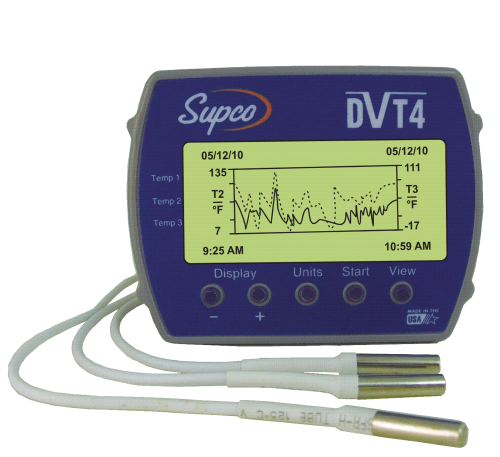
The Supco DVTH Temp Humidity Logger with Display is a professional-grade replacement part from Supco (Sealed Unit Parts Co.), a trusted name in HVAC/R and appliance parts since 1945. Records and instantly displays trends for temperature, humidity, and dewpoint. Monitor real time measurements, and download over 40,000 data points to your PC. Each logger includes Windows® based software, with manual on CD, 3' USB cable and battery.
Data loggers and probes record temperature, humidity, pressure, or electrical readings over time so you can prove compliance, document system performance, and diagnose intermittent problems that never show up while you're on site.
Key Features
- 30 character user ID field
- Battery level indicator
- Compatible with Windows® 2000, XP, Vista and Windows® 7/8 & 10. 32 and 64 bit systems
- Data exportable to text or Excel® files
- Graph Display shows trends in measurements, with a scrolling feature
- Internal Sensors
- Memory rollover, or stop on memory full
- Password protected, user selectable single point offset calibration available through software
- Recording Start, on button, immediate after setup, or user specified date & time
- System requirements: 5MB free disk space, 800 x 600 screen resolution, 1 free USB port
- Text Display for real time temperature, humidity, and dewpoint. Logging summary, sample rate, memory used, and memory remaining.
- Three AA batteries (included)
- USB cable & Software INCLUDED
- User selectable sample intervals, 1 second to 9 hours.
- Visual alarm indicators (over & under) for temperature and humidity
Specifications
| Brand | Supco |
|---|---|
| Part Number | DVTH |
| Part Type | Data Logger |
| Operating Temperature | 15°F to 150°F (-10°C to 65°C) |
| Storage Temperature | -5°F to 160°F (-20° to 70°C) |
| Temperature Accuracy | ± 1°F (0.5°C) |
| Humidity Range | 0% to 90% Non-condensing |
| Humidity Accuracy | ± 2% RH, 10% to 90%RH |
Frequently Asked Questions
My PC does not have a disc drive, how can I install the software?
See the White Paper section on this page. (FR-French, SP-Spanish)
Is the software updated to Windows 10?
Yes.
Do the loggers have a recommended calibration interval?
We do not have a recommended calibration interval. Calibration can be performed through the software at any time.
Is there a manual for the Loggers?
The manual is built into the software. Open software, Click 'Help' on the Toolbar, then click 'Help Topics'. This is the manual.
How do I clear the logger data?
Logger data will be cleared upon starting a new logging session.
Can DV series loggers be used without the software?
No, all DV series loggers must be set up in the software, and data retrieved via the PC.
White Paper
- Supco DVTH Safety Data Sheet (SDS) (PDF)
- Supco DVTH Product Specification Sheet (PDF)
- Supco DVTH Installation & Operation Manual (PDF)
- Supco DVTH Application Sheet (PDF)
What's Included
- (1) Supco DVTH Temp Humidity Logger with Display
Safety: Always disconnect power and follow lockout/tagout procedures before servicing electrical components. Installation should be performed by a qualified technician.